Jinsi ya Kusanidi VPN kupitia Kiungo katika Programu ya Happ
Huu ni usajili wa kupitia kiungo kwa ajili ya programu ya Happ — si programu ya Veepen VIP. Unaununua ndani ya boti yetu ya Telegram, unapata kiungo cha usajili, na unakibandika katika Happ. Hakuna akaunti ya Veepen inayohitajika na trafiki haina kikomo. Hii hapa mtiririko mzima kuanzia ununuzi hadi kuunganishwa.
1Fungua boti ya Veepen
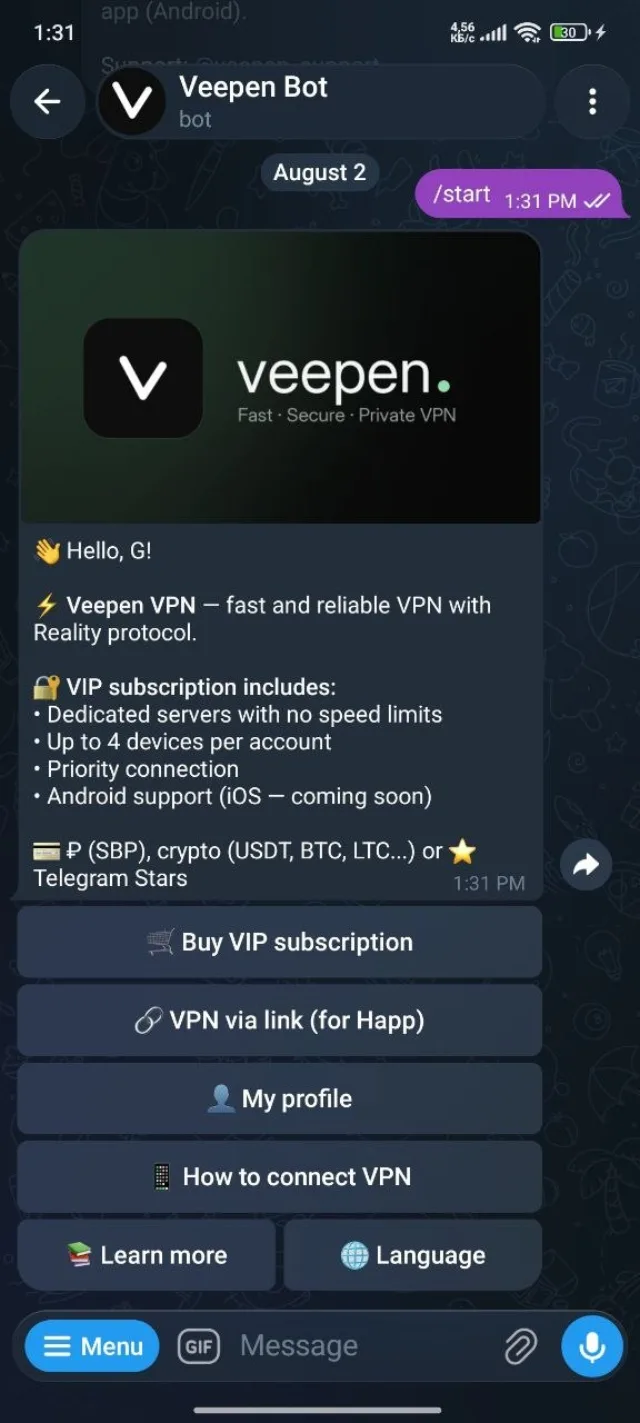
Anzisha mazungumzo na boti yetu ya Telegram na ubonyeze Start. Menyu kuu inaonyesha chaguo mbili tofauti — usajili wa VIP kwa programu ya Veepen, na VPN kupitia kiungo kwa Happ. Chagua ya pili.
2Fungua "VPN kupitia kiungo"
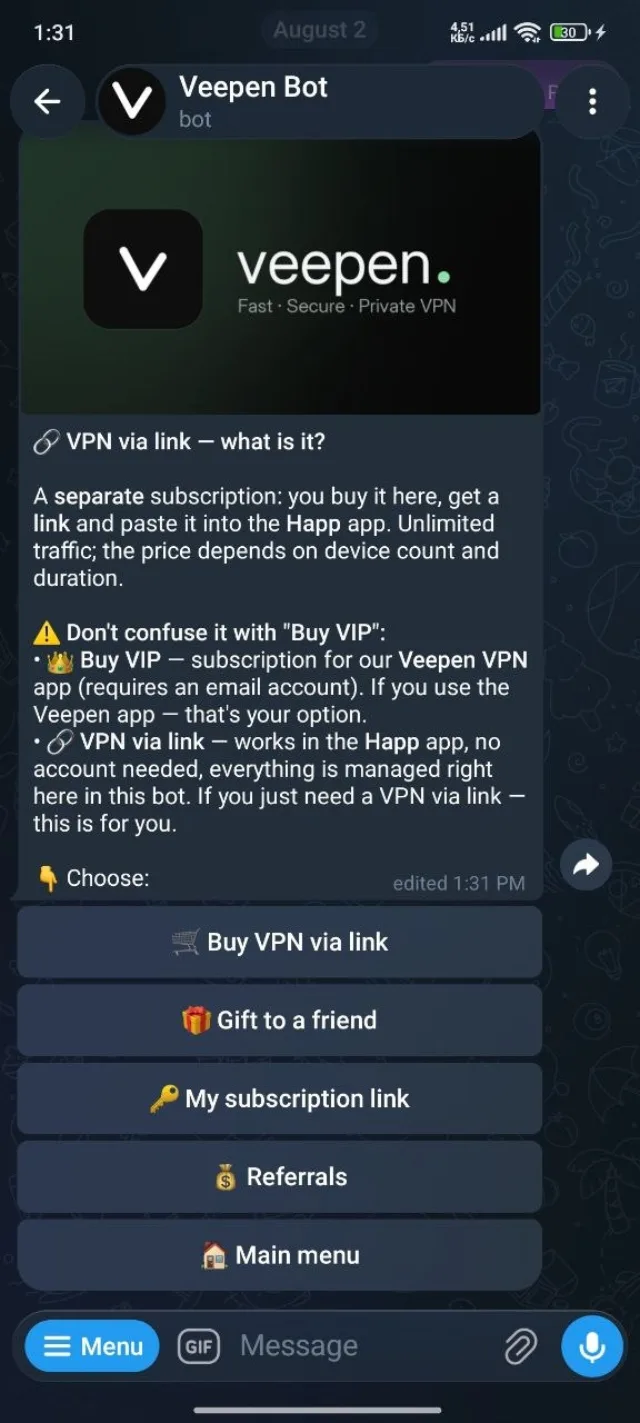
Boti inaeleza kwamba huu ni usajili tofauti kwa ajili ya programu ya Happ: bila akaunti, trafiki isiyo na kikomo, na kila kitu kinaendeshwa hapa hapa ndani ya boti. Gusa Nunua VPN kupitia kiungo ili kuanza.
3Chagua idadi ya vifaa
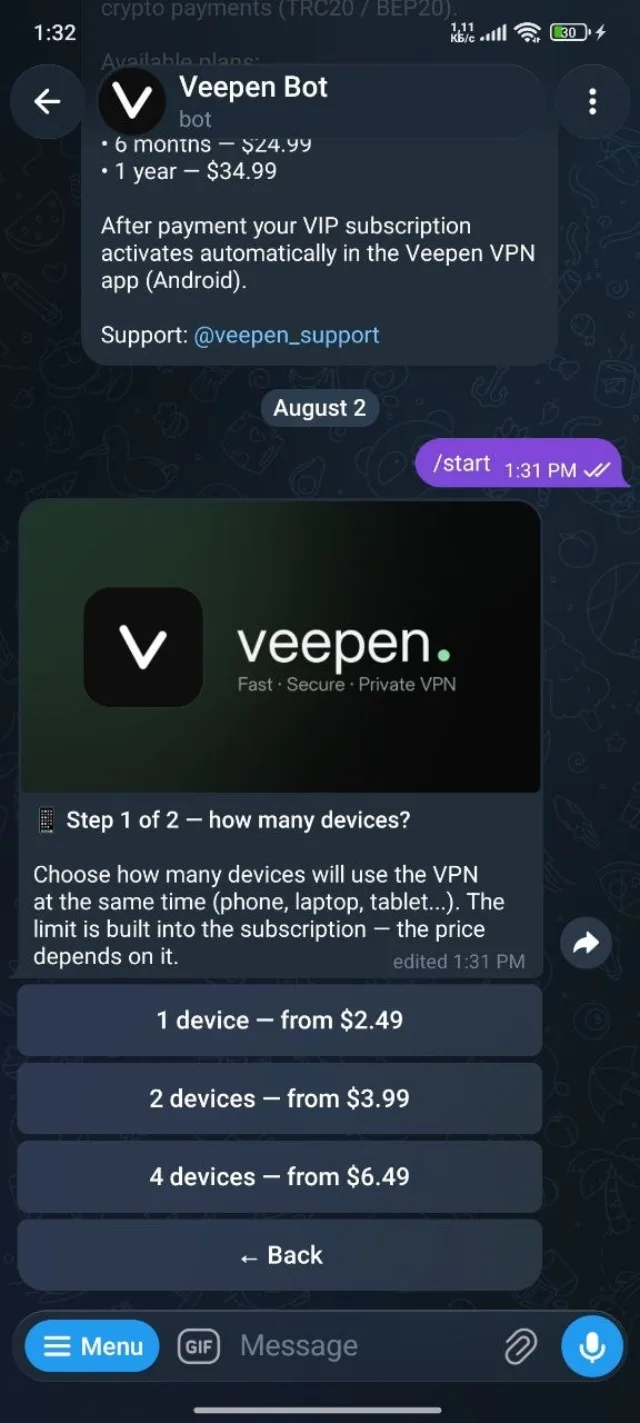
Chagua vifaa vingapi vitatumia VPN kwa wakati mmoja — 1, 2, au 4. Kikomo kimejengwa ndani ya usajili na bei hupanda kulingana nacho, kuanzia $2.49 kwa kifaa kimoja.
4Chagua muda
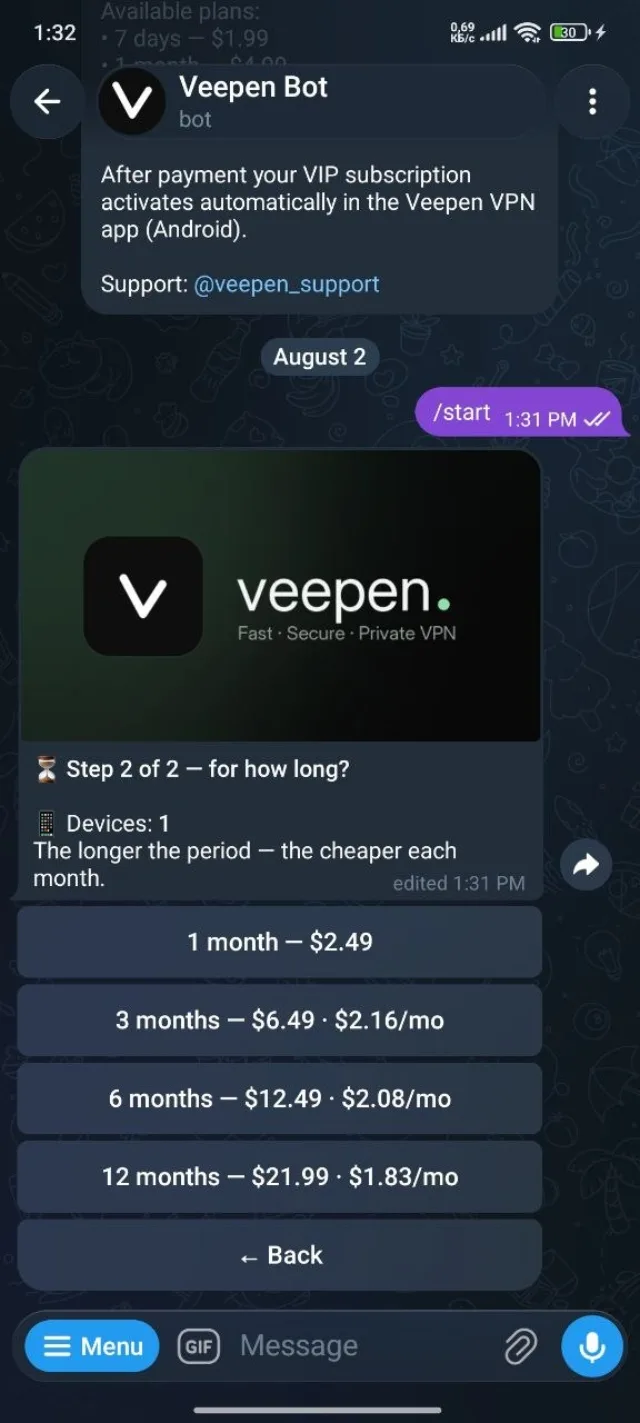
Vipindi virefu hugharimu kidogo kwa mwezi. Kwa kifaa kimoja chaguo huanzia mwezi 1 hadi miezi 12, na mpango wa mwaka huwa nafuu zaidi kwa mwezi. Chagua muda unaokufaa.
5Chagua njia ya malipo
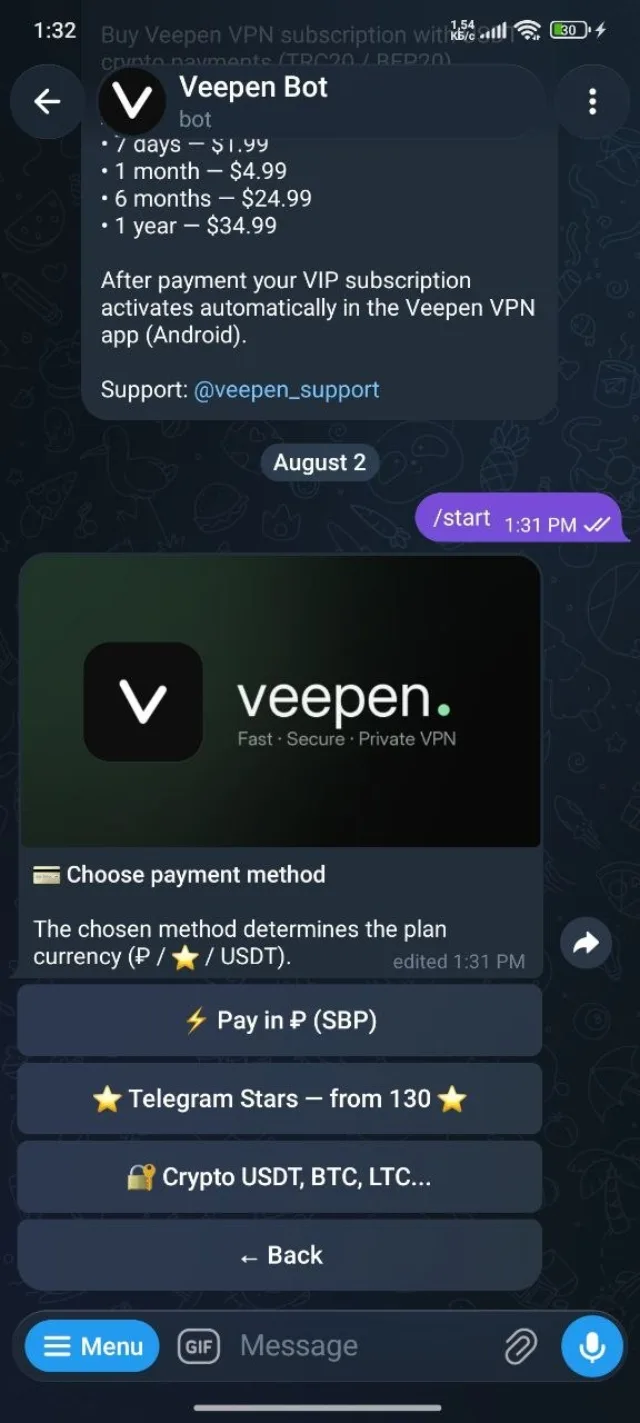
Lipa kwa ruble kupitia SBP, kwa Telegram Stars, au kwa sarafu-fiche (USDT, BTC, LTC, na nyingine). Njia unayochagua ndiyo inaweka sarafu ya mpango. Kamilisha malipo ili kuwezesha usajili.
6Nakili kiungo chako cha usajili
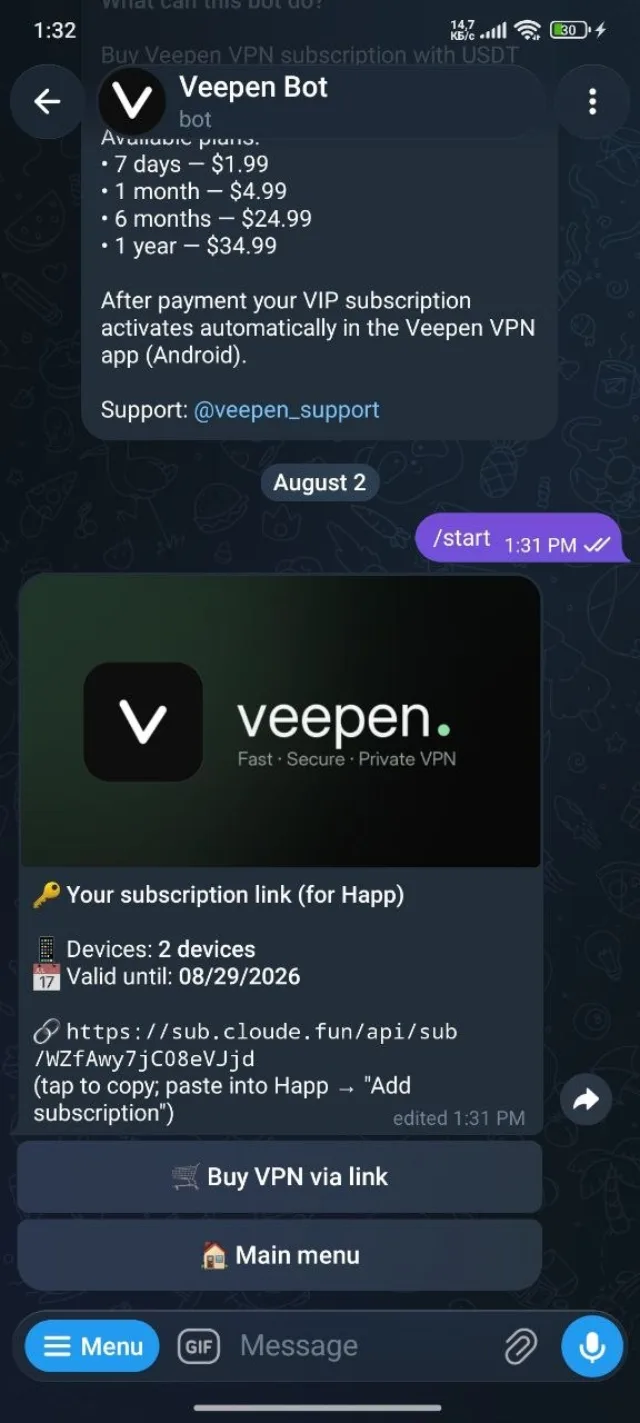
Baada ya malipo boti inaonyesha kiungo chako binafsi cha usajili (kinaonekana kama https://sub.cloude.fun/api/sub/…), pamoja na idadi ya vifaa na tarehe ya kuisha. Kiguse ili kukinakili.
7Ongeza kiungo katika Happ
Fungua programu ya Happ na uende kwenye Ongeza usajili, kisha bandika kiungo ulichonakili na uthibitishe. Happ inapakia seva zako zote kutoka humo na kuziweka zikisasishwa. Chagua seva, gusa ili kuunganisha, na uko mtandaoni.
Ndivyo ilivyo — usajili wako wa Veepen sasa unaendeshwa ndani ya Happ ukiwa na trafiki isiyo na kikomo. Unaununua kwa ajili ya mtu mwingine? Angalia jinsi ya kumzawadia rafiki VPN, au pata cashback kwa kushiriki kiungo chako cha rufaa.